UX Design
Duration
Sept 2023 - Dec 2023
Role
UX Designer
Team
Team of 5
Tools
Figma, FigJam, Adobe Photoshop, Adobe Illustrator

📚
User research
What kind of research methods did our team implement to understand our project area better?
To better understand students’ reading habits, we interviewed 7 high school students about their reading habits and strategies for focusing. These insights helped identify patterns in how students engage with academic readings and informed design decisions for WhizRead’s features and reading support tools.

Student Interviews
Interviewed 7 high school students about reading habits and strategies for focus.

Focus Strategies
Identified highlighting, note-taking, and page marking as practical ways students sustain attention.

Reading Tools
Explored how students use shortened text and online tools to make reading feel more manageable.
Persona
Based on our key research insights, we created personas to better understand the needs and challenges of high school students with ADHD-related reading difficulties.
By exploring both diagnosed and undiagnosed experiences, these personas help guide design decisions for WhizRead and ensure the app supports a range of students' attention, motivation, and literacy needs.


User flow
This user flow outlines the key steps students take when using WhizRead.
It shows the process of uploading or selecting a reading assignment and customizing the user's bionic reading preferences. It also highlights how the app guides users through a simple, supportive experience designed to improve focus and make reading feel more manageable.

LOW-FI WIREFRAMES
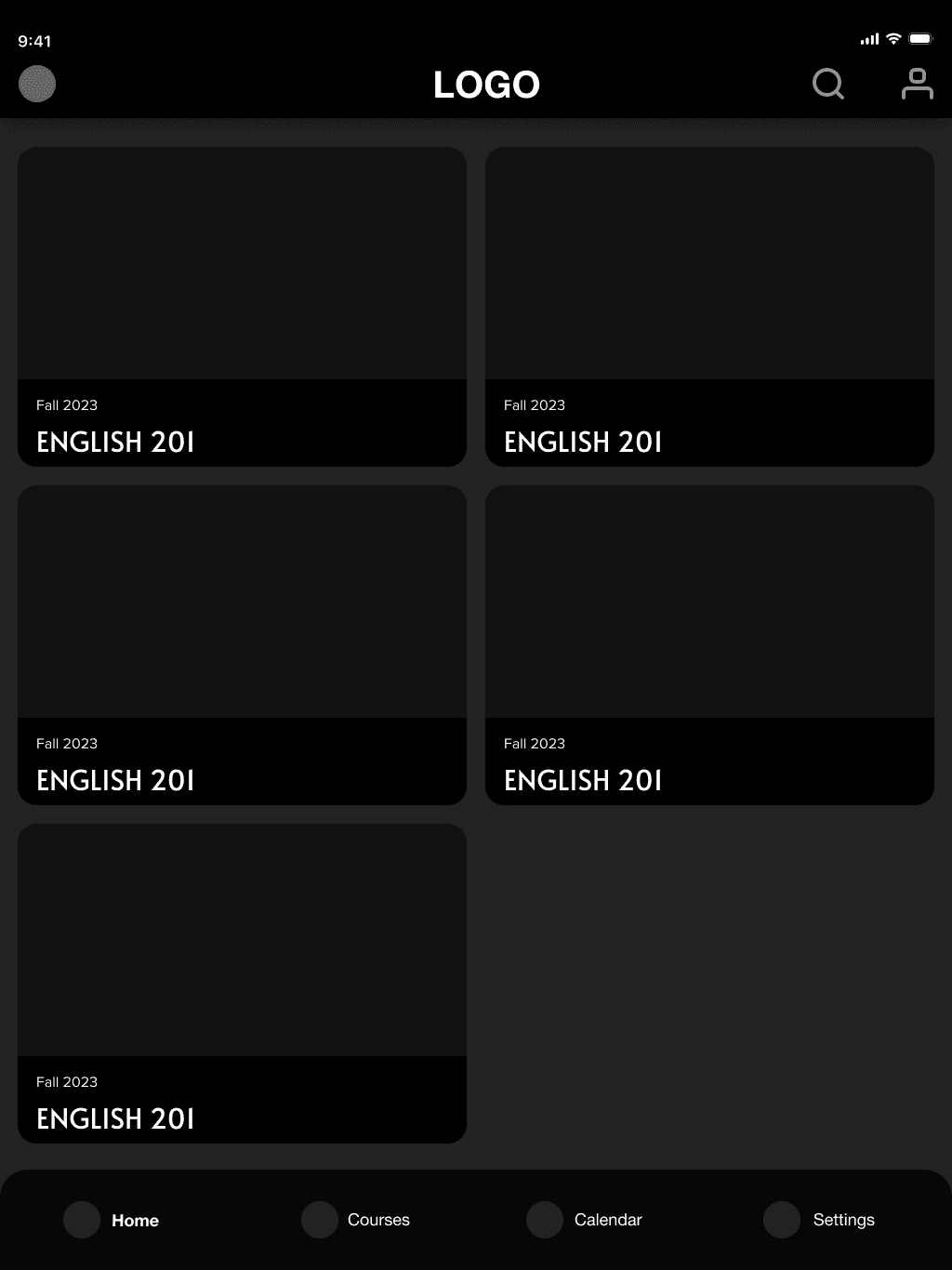
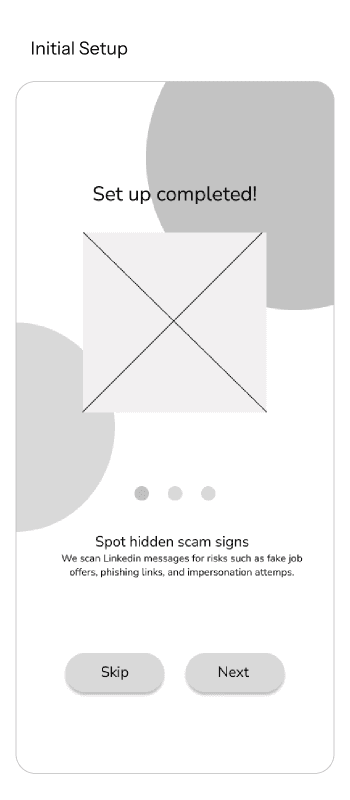
These low-fidelity wireframes explore the early structure and layout of WhizRead.
They helped clarify how students would navigate the app, customize their reading experience, and access tools that support focus and comprehension.




USABILITY TESTING & KEY IMPROVEMENTS
Testing helped reveal where the hierarchy and navigation needed the most improvement.
The usability testing process was used to evaluate how effectively users could navigate WhizRead and interact with its core features. The feedback gathered helped identify opportunities to make the reading experience more supportive and accessible for students with ADHD.

Unclear input fields and hierarchy
During the calendar task flow, users had difficulty understanding where to enter information because the text boxes were not visually clear.

Navigation was not intuitive
Users expected to exit overlays by tapping outside of them, but the initial design required them to use another button.

Important actions were hard to find
Several key buttons, such as "Add Task" button, were difficult for users to notice/interact due to their small size and limited visibility.

Feature labels lacked clarity
Some customization features were confusing because users could not easily tell how to interact with them or what they represented.
FINAL DESIGNS
After usability testing, we used the feedback to improve the final design of WhizRead.
The final prototype focuses on making the app easier to navigate, clearer to understand, and more supportive for students with ADHD through features like reading customization, task planning, and annotation tools.
View Interactive Prototype —>
Home Page
Students can see all of their upcoming assignments on the main dashboard

Calendar
Assignment calendar for students to track daily and weekly readings with an AI bot to help plan.

Readings
Students can change into different reading modes to help with focus (bionic reading, text-box, text-to-speech).

Profile + Settings Page
A profile page that updates a student's current reads, reading stats, and their standing on a leaderboard to motivate the student. The settings page allows students to adjust their reading preferences.

REFLECTIONS
This project was a great learning experience because it challenged me to design for a reading experience that needed to feel supportive, focused, and accessible. It was also my first time designing for a tablet interface, so I had to rethink how content should scale across a larger screen and how spacing, hierarchy, and interaction patterns could support longer reading sessions without feeling overwhelming.
One of my biggest takeaways was learning how important accessibility is when designing for students with learning disabilities. This project expanded my perspective by reminding me that every design will serve a wide range of users with different needs, abilities, and ways of processing information. Moving forward, I want to be more intentional about considering accessibility from the beginning of the design process, rather than treating it as something to check at the end.
If I had more time, I would expand the social element of WhizRead. For example, I would explore a read-together session where students could read alongside friends, set shared goals, and encourage one another to stay motivated. This could help make reading feel less isolating while still supporting users who need focus-friendly tools and a more structured reading environment.