Designathon
Duration
48-hour designathon
Role
UX Designer
Team
Team of 5
Tools
Figma, FigJam

🛡️
User research
After reviewing patterns across online discussions and scam-related reports, we identified pain points in how students recognize and respond to suspicious job postings.
Beyond the scale of financial loss, the research highlighted how difficult it can be for students to recognize suspicious opportunities in the moment. Many scam signals are hidden behind familiar job-search language, making it important for Guardly to surface clear warnings, explain risk factors, and support students before they commit time, personal information, or trust to a posting.

60%
People want to learn more about how to protect themselves from scams and predators.

84%
People believe it is important or extremely important to know how to protect themselves from online scams and predators

#1 Priority
The top digital literacy skill people want to learn is how to protect themselves from predators
User INTERVIEW
To better understand students’ experiences with job searching and scam awareness, we conducted interviews with 16 college students.
These conversations helped us learn how students evaluate job opportunities, what warning signs they notice or overlook, and where they may need clearer guidance before trusting a posting. From these insights, we learned

Warning signs
Common scams include overly friendly messages, unusual wording, and phishing links.
Stronger verification
Users want confirmed profiles, connection checks, and AI-powered message detection.
Data control
Participants wanted clearer information about potential risks and better preventive guidance.
Competitive analysis
To understand how existing tools approach online safety and scam prevention, we reviewed Scam Shield and True Caller, which are apps that help users detect suspicious links and incoming calls. While these platforms help detect day-to-day suspicious activities, they don't help combat misinformation or scams on online platforms. As a result, this competitive analysis helped us identify common patterns, gaps in current solutions, and opportunities for Guardly to provide clearer, more student-centered support during the job-search process.
Feature
Scam Shield
True Caller
Guardly
Identifies scam messages
✓
✓
✓
Seamless integration with apps
✓
✕
✓
Scans job listings and gives warnings
✕
✕
✓
Creates friction before you click
✕
✕
✓
Easy in-app reporting with follow-up
✕
✕
✓
Gamified skill building
✕
✕
✓
User flow
The user flow maps a student’s journey from seeing a suspicious job posting to reviewing guidance and deciding how to respond. It clarified which screens were essential for confident decision-making.

LOW-FI WIREFRAMES
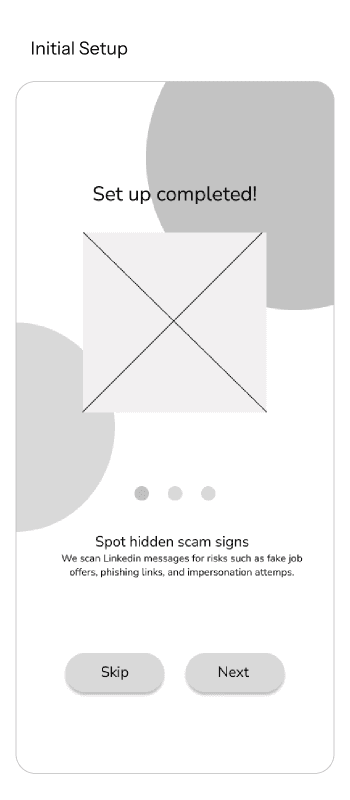
Using the user flow as a guide, we created low-fidelity wireframes to translate Guardly’s key functionality into early screen layouts.
At this stage, we focused on structure, content hierarchy, and how students would move through the experience rather than final visual styling. These wireframes helped us test the flow of information and refine which screens were necessary before moving into higher-fidelity design.


USABILITY TESTING & KEY IMPROVEMENTS
To evaluate how well our design supported students during the job-search process, we conducted usability testing to observe how users moved through the prototype and interpreted key features.
We used this phase to identify the strengths and weaknesses of our design, paying close attention to moments of confusion, hesitation, or missed information. These findings helped us prioritize major improvements before refining the final experience.
🧐
Confusion on Guardly's key features
Improvement
Increased font size for description of key features on its setup page for a smoother introduction.
⚠️
Alert is not alarming enough to stop users from proceeding
Improvement
Redesigned the notification to increase visibility through clear warning labels.
➡️
Navigation from scam alert analysis to learning dashboard
Improvement
Added a direct CTA button on the scam alert analysis page to encourage users to continue their misinformation learning.
FINAL DESIGNS
After usability testing, we moved into the final design phase with a clearer understanding of which features were most valuable to students during the job-search process.
Since this project was completed during a 48-hour designathon, our team had to work within a very limited timeframe and focus on developing only the most essential functionality. As a result, the final prototype prioritizes the key features that best addressed our users' needs: the scam alert analysis tool, which helps students assess potentially suspicious job postings, and the learning dashboard, which supports students in building awareness and confidence throughout their job search.
View Interactive Prototype →
Onboarding + Scam Alert
Analyses LinkedIn and other social messages for legitimacy, highlights red flags, and advises users before they share personal details.
Simulation Test
Sends AI-generated fake job messages to users on LinkedIn to see if they click the phishing link. This helps prepare users and keeps them from getting scammed.
Digital Awareness Games
Rather than one-time fixes, these games help users form habits over time, building confidence in their digital awareness.
REFLECTIONS
This designathon was a valuable learning experience because it challenged me to move through the UX process within a very short timeframe. Since we only had 48 hours to research, ideate, prototype, and test our solution, I learned how to prioritize quickly, make design decisions efficiently, and adapt our process based on what was most realistic and useful at each stage. One of my biggest takeaways was learning how to work under time constraints while still keeping the user problem at the center of our decisions. With limited time, our team had to identify which research methods and design activities would give us the most meaningful insights. This helped me better understand how to balance speed with intention, especially when deciding which features were essential for the final prototype.
If I had more time, I would refine the design system to make the colors, style, and components more consistent across the app, since each team member worked on a different section. I would also expand Guardly beyond the main scam alert analysis and learning dashboard by adding more learning exercises, clearer explanations of how each analysis result is created, and more support for users during their job search. Lastly, I would test the app with a wider range of users, since our testing was limited to designathon participants who were mostly students aged 20 to 25.
Although Guardly will not completely remove misinformation online or prevent all job scams, it is a step closer to encouraging more productive job searches and helping users stay safer online.